VOXX · YOUR RUNNING WEEK
A running app for beginners
You do not need a race result, a target pace or a wearable to begin. Tell VOXX where you are starting, see your first proposed session and decide whether the plan fits your week.
Private iPhone beta · Invitation through Apple TestFlight
Explore iPhone beta access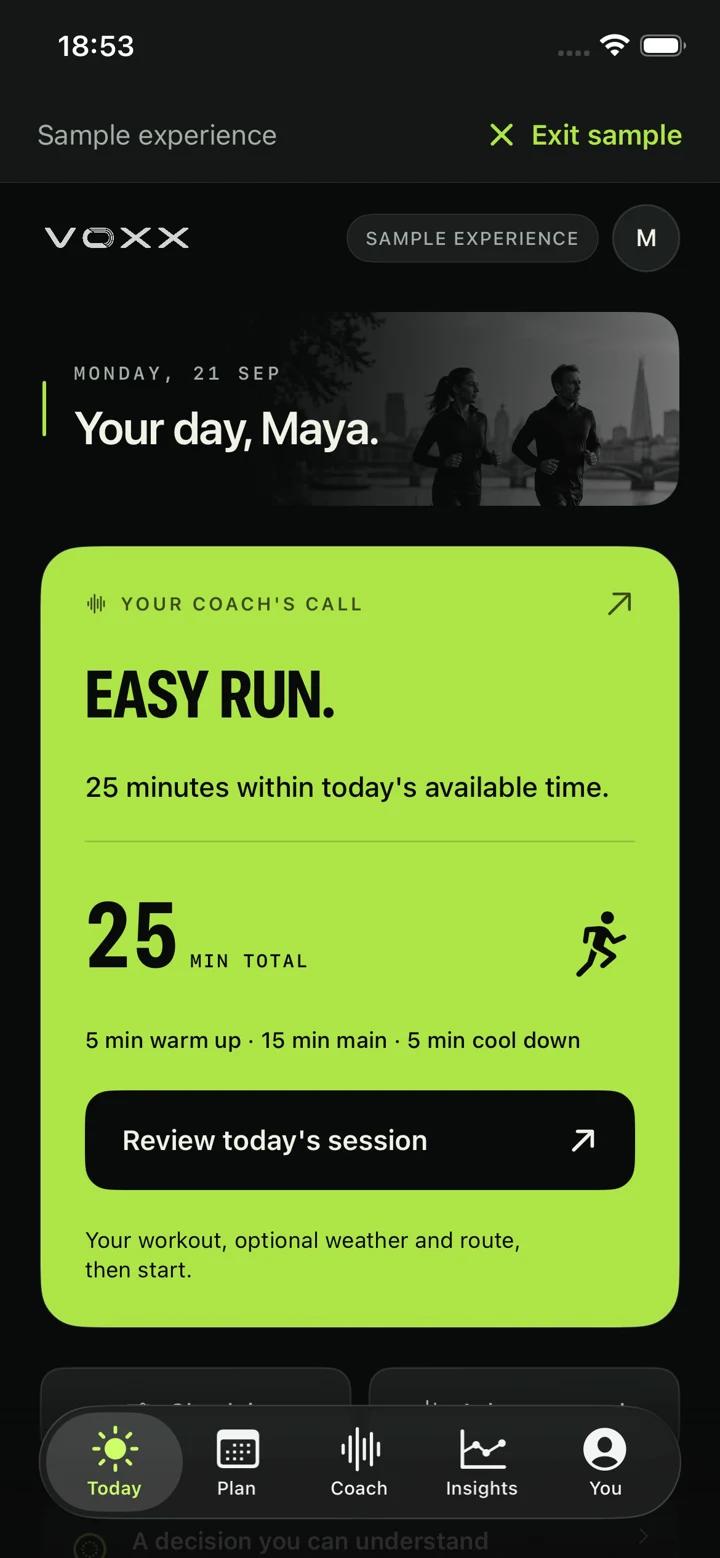
01 · START WITH WHAT YOU KNOW
No running history? Say so.
Choose Starting to run, Returning after a break or the background that describes you. Then review your recent running. These are separate questions: being new to an app does not mean being new to running.
No recent runs
Choose I haven’t run in the last 4 weeks when that is true. VOXX can begin with short run/walk sessions and rest days between them.
Your own estimate
Enter your recent weekly running time and longest run in minutes. A distance, pace or race result is not required.
Still unsure
Keep the history unknown. VOXX offers a cautious introduction; missing records do not become a claim that you did no running.
If you already have recorded runs, you can review the available imports and confirm the period is complete. A wearable connection is optional. The first-plan guide explains each history choice.
02 · LOOK BEFORE YOU COMMIT
See your first run before accepting
Choose a goal such as running consistently or working toward 5K, then select running days and the time you can set aside. For a new or low-volume starting point, setup asks for two or three days with a rest day between. That is an app planning limit, not a rule for every runner.
Available minutes are a ceiling. Your first sessions may be shorter. Complete the running and health questions, check the setup summary, then open the plan preview. Saving your answers does not add sessions to the calendar.
ILLUSTRATED WORKFLOW · NOT A SUGGESTED TRAINING WEEK
Tell VOXX your starting point
A fictional beginner reports no recent running, chooses suitable spaced days and answers the health questions.
Inspect the proposed week
The preview shows the first session’s date, duration, effort, structure and purpose, followed by the first seven days and any limitations.
Choose whether to accept
Edit the answers if the proposal does not fit. Sessions enter Plan only when the runner accepts. Opening the preview commits nothing.
This explains the app workflow. It does not assign a workout or establish that automated training is suitable for an individual.
The running-plan overview explains how later reviews work. Later weeks remain provisional.
03 · ONE STEP AT A TIME
Follow the session’s spoken cues
Open the accepted session from Today to review the warm-up, main session and cool-down. The displayed total includes those phases and planned walking breaks. The timer guides the saved steps, with spoken timing and session cues.
Run/walk sessions alternate gentle running and walking. Progression needs reviewed completed runs and current context; choosing a more ambitious goal does not automatically add harder running.
Hear one actual VOXX easy-run cue below, read by the AI voice Cedar. This is a voice sample, not continuous conversation or an individual workout instruction.
Voice sample transcript
Now ease into a gentle run. Keep it comfortable enough to talk in full sentences. You can walk whenever you need to.
See how guided sessions work. Afterward, record how the run felt and review the saved activity. Missing effort or pain feedback stays unknown.
04 · MAKE THE WEEK WORK
A missed run needs a review
Check the activity record and pending imports before marking a session skipped. In Plan → Manage plan → Change this week, you can preview eligible changes to upcoming availability. Compare the affected dates before accepting.
A skipped run stays in history. VOXX does not stack missed sessions into catch-up work. For a longer break, pause the plan and return through a fresh review.
Optional introductory strength has its own setup and preview. Accepted routines share the Plan calendar with running, while their completion records and minutes stay separate.
Work through a missed-run decision · Explore optional strength.
05 · CHECK THE FIT
Is VOXX a fit for your first runs?
The private beta is for adults who want a plan they can inspect, guidance during sessions and a way to review what happened. You need an iPhone running iOS 18 or later and an invitation through Apple TestFlight. A wearable is optional.
You can explore with unanswered health questions, but automated training waits for the necessary context. VOXX does not provide medical clearance or guarantee a finish distance, pace or injury prevention. Returning after injury has a separate, professionally guided scope.
Understand the daily check-in · Read the injury-return limits · Already considering a half marathon?
PRIVATE IPHONE BETA
Start with a plan you can understand.
Request a place in the VOXX iPhone beta. Access is by invitation through Apple TestFlight. An iPhone running iOS 18 or later is required; a wearable is optional.
Request the beginner running betaA short form. The team will email you about availability and next steps. A request does not create an account or guarantee access.